Advanced Serial Port Terminal allows you to connect to the remote host via TCP/IP protocol.
To establish TCP/IP connection, do the following:
1. Launch Advanced Serial Port Terminal if it is not already launched.
2. Select “File” –> “New session” from main menu to invoke “New session” dialog window.
3. Select “TCP/IP” option from “Port” combo box.
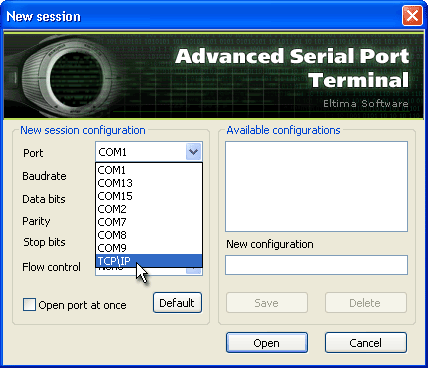
4. Specify IP address or domain name of the remote host and TCP port to connect to.
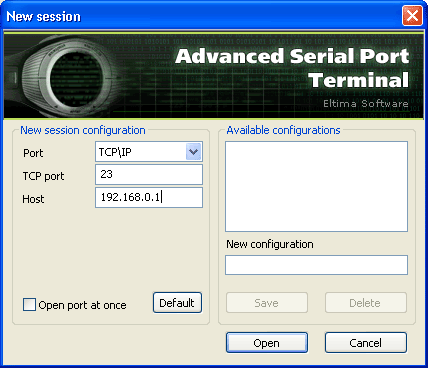
5. Optionally, tick “Open port at once” checkbox if you want to open serial port automatically at the session start.
6. In case you would like to reset all communication settings (except port number) to default ones, please, click “Default” button.
7. Click “Open” button.