To invoke Flash Decompiler options, click “Options” button:

Let’s review all the settings available:
- General
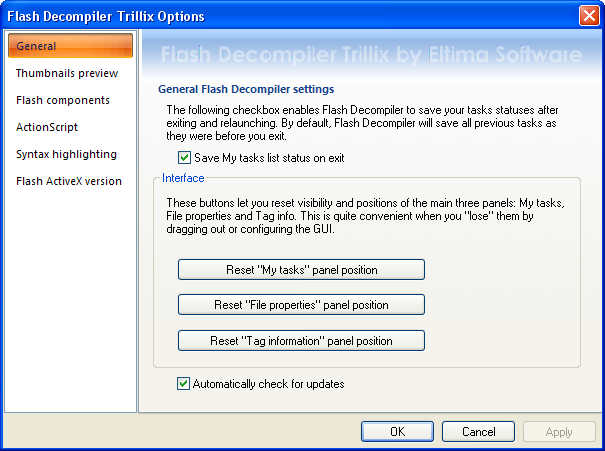 Tick ”Save My tasks list status on exit” checkbox to save your tasks statuses after exiting and relaunching. By default, Flash Decompiler will save previous tasks as they were before you exit.
Click “Reset “My tasks” panel position“, “Reset “File properties” panel position” and “Reset “Tag information” panel position” buttons to reset visibility and positions of the main three panels after configuring the GUI.
“Automatically check for updates” option allows you to check for a newer version of Flash Decompiler automatically each time Flash Decompiler is started, so you do not need to check for updates manually. If this option is disabled, you will need to visit Flash Decompiler page at our website to check for updates or do it from Flash Decompiler interface (Help and support –> Check for newer version).
- Thumbnails preview
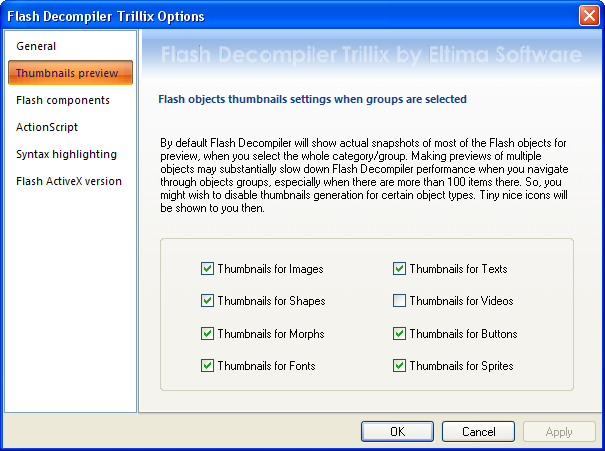 Here you are able to change Flash objects thumbnails settings. By default Flash Decompiler will show actual snapshots of most of the Flash objects for preview, when you select the whole category/group. Making previews of multiple objects may substantially slow down Flash Decompiler performance when you navigate through objects, especially when there are more than 100 items there. So, you might wish to disable thumbnails generation for certain object types. Tiny icons will be shown to you then. Just tick the necessary checkboxes to enable/disable thumbnails for objects used in Flash files.
 - Flash components
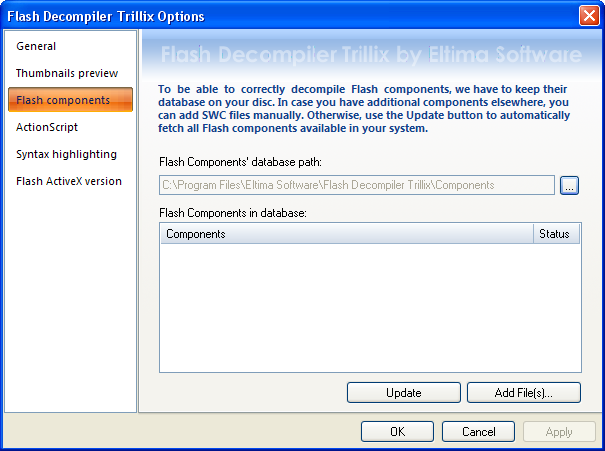 To be able to correctly decompile Flash components, we have to keep their database on your disc. In case you have additional components elsewhere, you can add SWC files manually. Otherwise, click “Update” button to automatically fetch all Flash components available in your system.
 - ActionScript
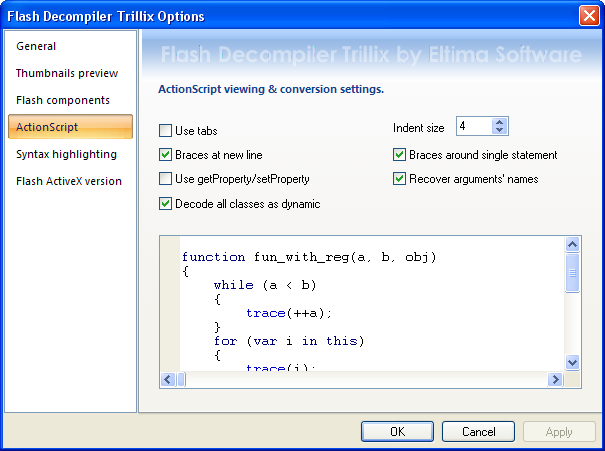
Here you are able to change ActionScript settings for both preview in player and conversion. This only affects ActionScript, shown in Flash Decompiler.
“Use tabs” checkbox enables/disables tabs for indents in ActionScript. If this option is enabled, the setting below will be ignored.
“Braces at new line” checkbox defines whether to place braces on new line (the so-called new C style) or use old coding style (Kernigan & Ritchie). For instance, if this option is enabled, you can see the code structure like this:
Old style New style function (){ // your code here }
function ()
{
// your code here
}
“Use getProperty/setProperty” – uses old-style syntax to object’s properties (getProperty and setProperty built-in functions).
“Decode all classes as dynamic” – this checkbox enables all AS 2.0 classes decoding as dynamic. Dynamic class makes possible to add properties and methods at runtime, while such action for non-dynamic class will lead to compilation error. The problem is that in a SWF file all classes are considered dynamic.
“Indent size” option defines the number of white spaces to use for indents instead of tabs.
“Braces around single statement” checkbox defines whether the single statements should be encapsulated into braces. For instance, if this option is enabled, you can see the code structure like this:
Option is enabled Option is disabled if (a){ DoIt(); }
if (a) DoIt();
“Recover arguments’ names” option is useful in case the information about file variables’ names is not available (it is caused by the fact that starting from Adobe Flash Player 6.0, registers were added to ActionScript virtual machine structure in order to improve performance speed). This option enables Flash Decompiler to use heuristic algorithm to restore binding of variables to their values and is applicable to ActionScript 1.0 and 2.0 only.
- Syntax highlighting
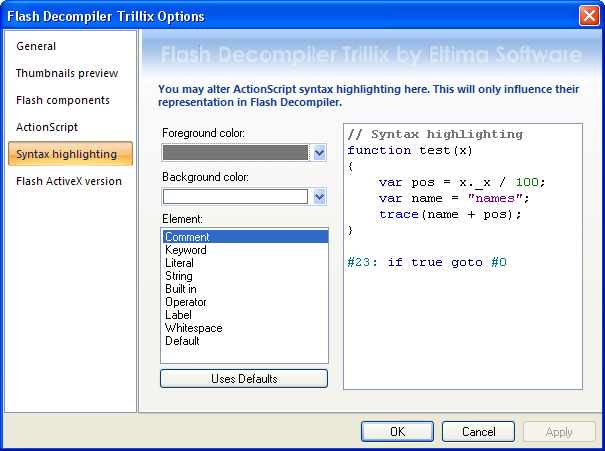 Using these options you can alter ActionScript syntax highlighting. This will only influence their representation in Flash Decompiler. You are able to change foreground and background colors for different elements.
 - Flash ActiveX version
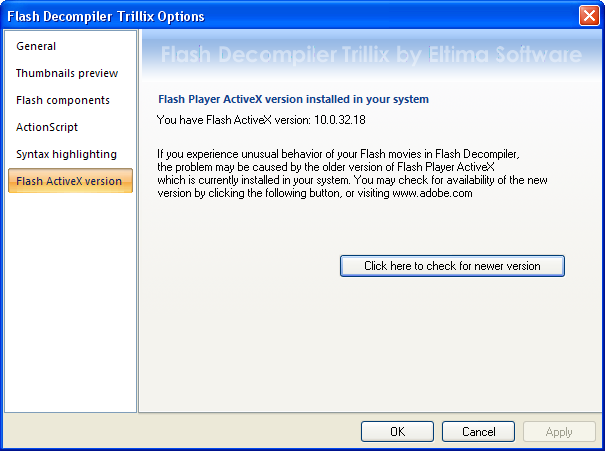
Here you can see Flash Player ActiveX version installed in your system and check for a newer version if you experience unusual behavior of your Flash movies in Flash Decompiler, because the problem may be caused by the older version of Flash Player ActiveX currently installed in your system.