Flash Decompiler Trillix lets you search for the required information in ActionScript used in Flash files.
- Search in scripts of a current SWF file or all SWF files, located in “My tasks” list:
- First, please, add a file to “My tasks” list.
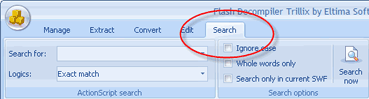
- After you’ve added the required file, please, switch to “Search” tab, which is located at ribbon bar.
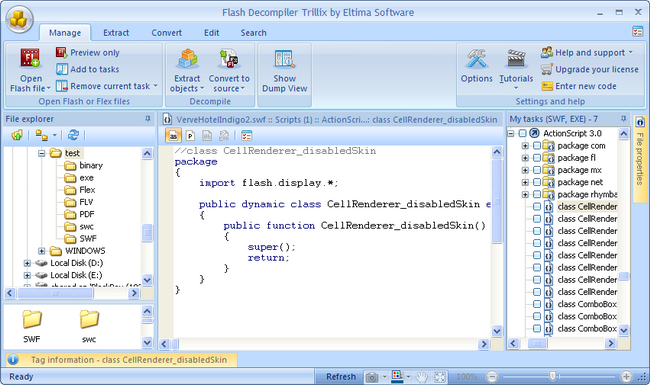
- Flash Decompiler opens scripts of the currently selected Flash file automatically.
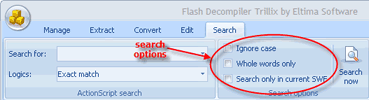
- You can configure search options if you want to.
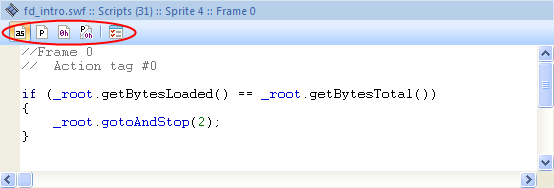
- Besides, you can change ActionScript view for your convenience: common representation, P-code actions representation, hex dump representation and split mode including P-codes and hex dumps:
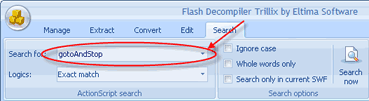
- Then, please, write the text you want to search for in “Search for” text field:
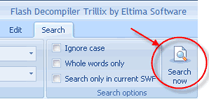
- Click “Search now” button to start searching:
- Search in particular script:
You can search not only in scripts of a current SWF file (or all SWF files, located in “My tasks” list), but also in particular script. To do that click the required script in “My tasks” list, and it will be displayed in preview window. Now use Ctrl + F keys combination to invoke “Find” window:
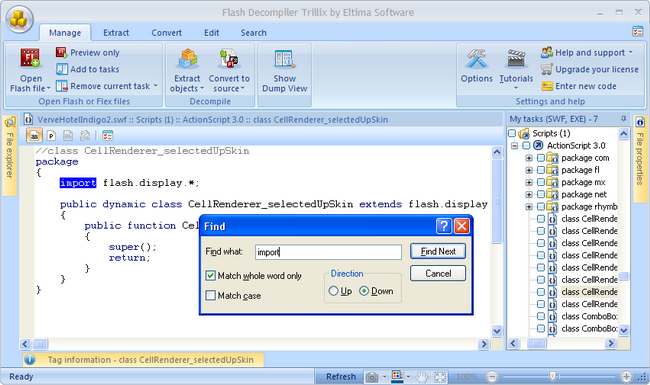
In “Find what” text field type the text you want to search for.
To find each instance of a word or phrase, click “Find Next” button.
“Match whole word only” checkbox permits to search for complete words only, and avoid finding words that may contain what you type. For example, if you type the word “in” in “Find what” text field, and do not tick “Match whole word only” checkbox, Flash Decompiler will find “in” and “introduction”.
If “Match case” checkbox is ticked, Flash Decompiler will search only for words that match the case of the word or phrase that you typed in “Find what” text field. For example, if you search for PUSH, the result will include PUSH, but not push.