When you apply “Decrypt” option, Recover PDF Password decrypts a file using a password and creates a new, password-free, file. Moreover, your Digital Signature is removed from the decrypted PDF file.
Recover PDF Password doesn’t support decryption of PDF documents, protected with Digital Certificate (or Digital ID). Recover PDF Password allows removing your Digital Signature only! Remember, that removing Digital Certificate is illegal and is prohibited by International Copyright Law.
There are two scenarios of PDF file decryption:
1. If you know the password:
To decrypt a PDF file when you already know its password, click “Decrypt” button in main window of the program (if a file is already open). Otherwise, select PDF file by clicking “Open PDF” button and locating the file. Then click “Decrypt” button.
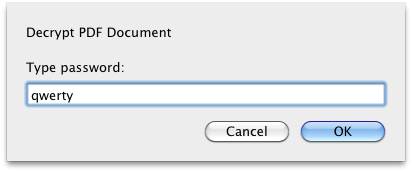
In the invoked window type the password:
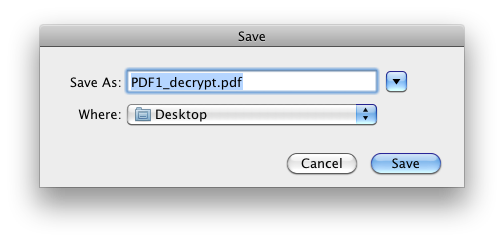
Specify the name the file will be saved with and the destination path:
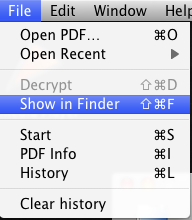
Once the file is decrypted, you can view the result by choosing Main menu –> File –> “Show in Finder” option:
2. If you don’t know the password:
- Click “Open PDF” button. In the invoked window browse to the file you need.
- Then recover the file password using one of the following recovery methods: brute-force search or dictionary search.
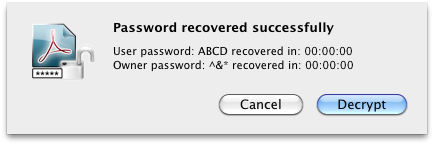
- When the password is recovered, click “Decrypt” button:
- Specify the name the decrypted file will be saved with and the destination path:
- Once the file is decrypted, you can view the result by choosing Main menu –> File –> “Show in Finder” option:
Note 1: If a password is not correct, Recover PDF Password won’t be able to decrypt a file, and you will receive an error message:
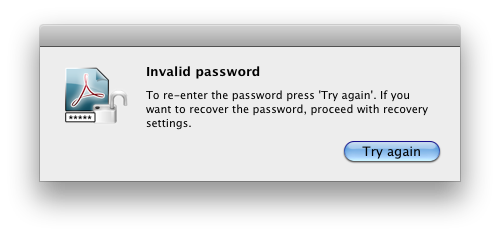
Either re-enter the correct password or try to recover it.
Note 2: PDF document can contain attachments of any file type. When a PDF file is decrypted by Recover PDF Password, all file attachments, if any, are deleted. We are working on this issue in order to resolve it ASAP. This issue does not concern PDF Portfolio (multiple files of different formats assembled into an integrated PDF unit). PDF Portfolio is decrypted with all its component files.