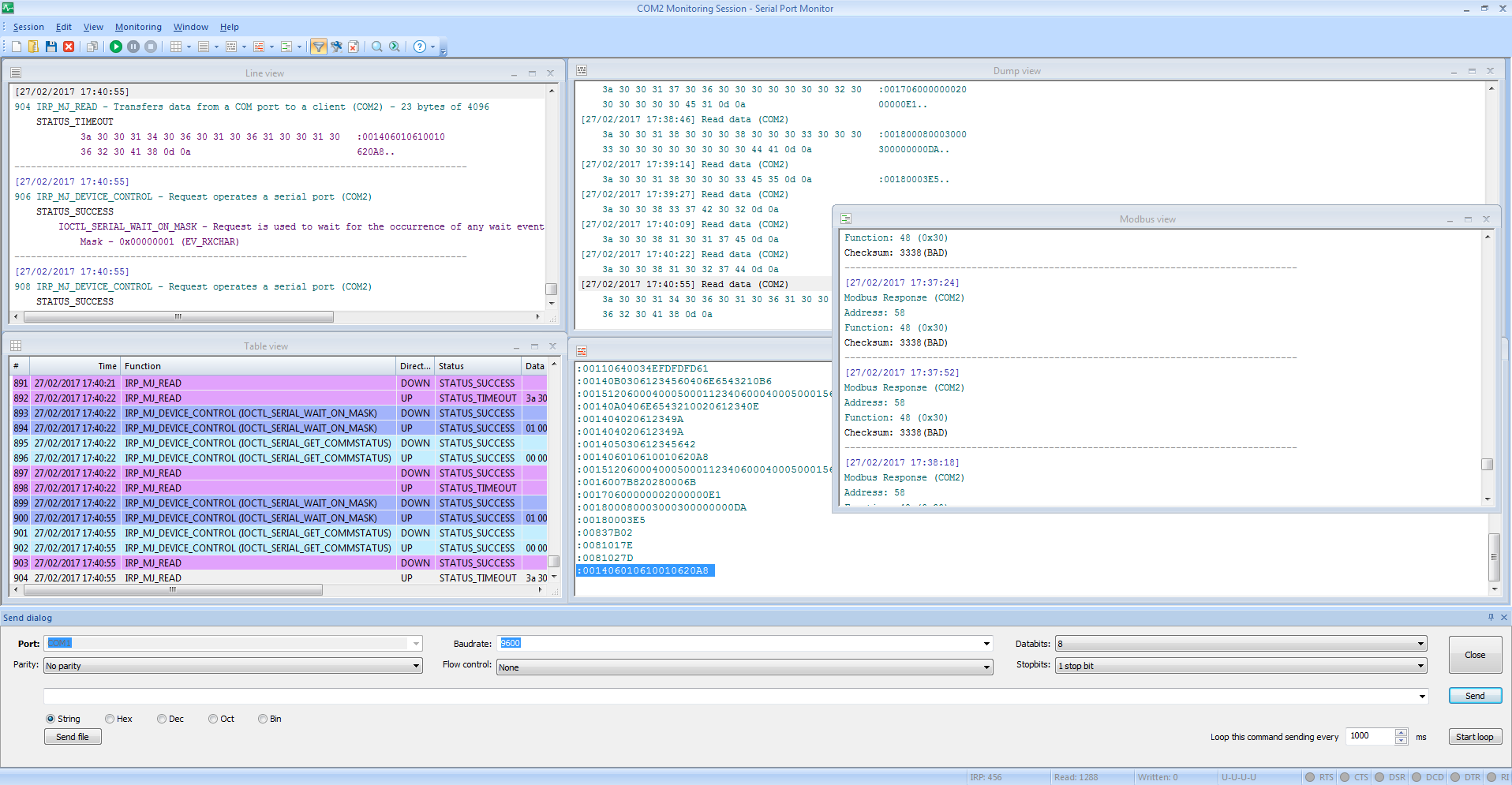
When you launch Serial Port Monitor, you don’t have any session activated immediately. Therefore, you need to start one manually. Follow these instructions to start a new monitoring session:
1. Launch Serial Port Monitor
2. Choose “Session -> New session” from the main menu, or click “New” on the main toolbar, or press CTRL+N:

3. “New monitoring session” screen will be invoked:

Select visualizers you would like to be displayed and used throughout your monitoring session:
Table view displays the table of the recorded IRPs.
Line view displays detailed information about requests, passed through particular serial line.
Dump view displays sent and received data passed through serial line.
Terminal view is a text console that shows all the received data as ASCII characters.
Modbus view displays received and sent Modbus data (RTU and ASCII).
“Start monitoring now” and “Start in new window” checkboxes determine immediate behavior of a new monitoring session.
Capture options: choose which events to capture – Create/Close, Read/Write, Device Control.
Once the options are set, click “Start monitoring” to activate a new monitoring session.
3. New monitoring window opens. All types of visualizers are selected: