If you often use the same commands or text strings, you may want to set up command aliases that simplify typing routines.
To create command aliases, follow these steps:
1. Select “File” –> “Preferences” from main menu or press “Alt” + “P” to invoke “Preferences” dialog window.
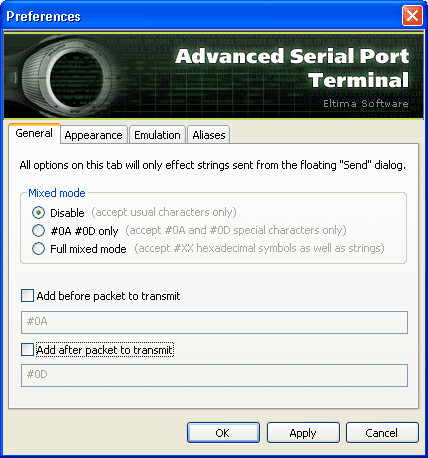
2. Enable “Full mixed mode” option:
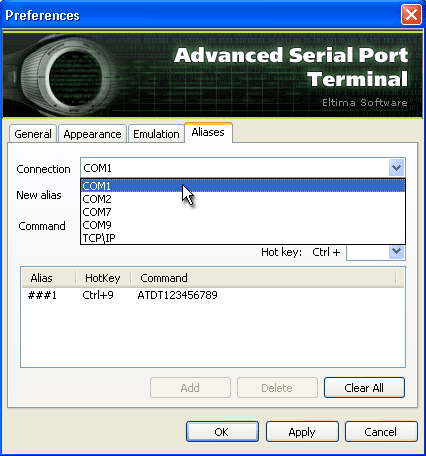
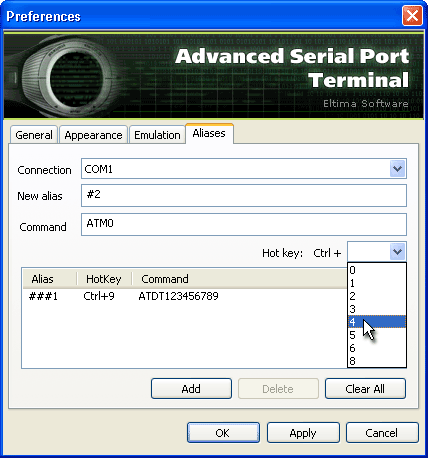
3. In “Aliases” tab set the required serial port:
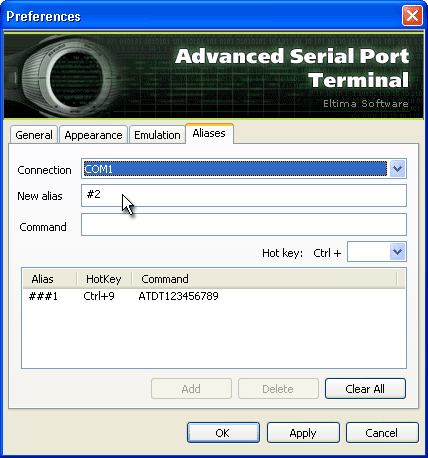
4. In “New alias” text field type the required sequence of characters that will be used as a shortcut to your command:
5. In “Command” text field type the command you want to set up alias for. Maximum command length cannot exceed 1024 bytes.
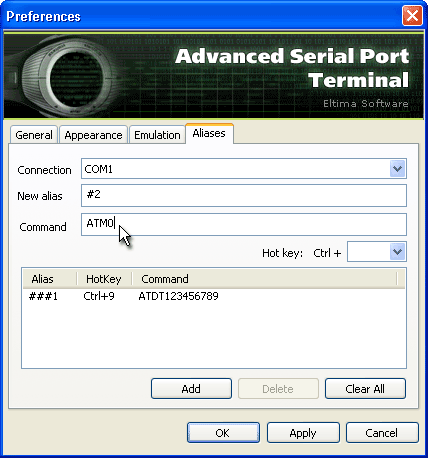
6. Optionally, you can specify the hotkey which will be used as alias to your command:
7. Click “Add” button to create the alias:
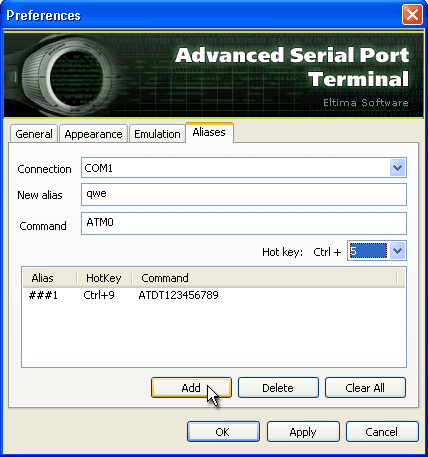
9. Click “Apply” button to save the changes.
10. To remove created aliases click “Clear All” button and then “Apply” button.
11. Once the alias is created, you can use it by typing the alias (for example, ##1) in “Send” panel (“String” mode only) in the current session and pressing “Enter”. The command which you have chosen for this alias will be sent to the port.
