To create complex bundles, follow these steps:
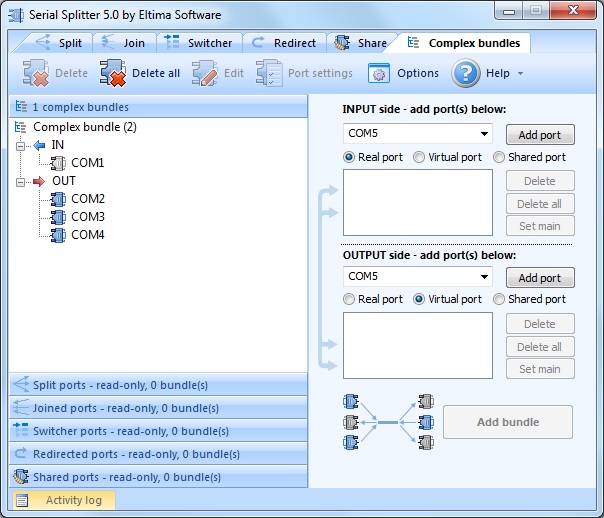
- Add port to INPUT-side. Indicate whether it is a real, virtual or shared port by checking the corresponding box. Then press "Add port" button. You can add as many ports as you need for you scenario.
.png)
- Choose a virtual port to set as main in a bundle. Read more about main ports here. Once the port is chosen, click "Set main" button.
- Add ports to OUTPUT-side.
- Click "Add bundle" button. Your complex bundle is automatically created in Bundle tree.
 Note: If an error occurred while creating ports bundle, you can analyze information in Activity log.