For a guide on VSPD PRO version options, click here
Virtual Serial Port Driver Options can be customized in the Main menu → Options: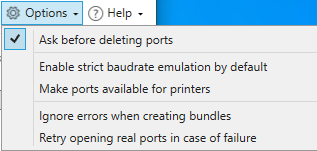
Ask before deleting ports — The confirmation window will be invoked after you click “Delete” or “Delete all”. This option is enabled by default.
Enable strict baudrate emulation by default — Strict baudrate emulation will be enabled by default when creating new port pairs.
Make ports available for printers — You can connect a printer to any created virtual port. This is achieved by registering virtual serial ports in the Windows Registry so that they can be selected in the Add Printer Wizard. After enabling this option, you’ll see the warning message about the need to restart the “Print Spooler” service or reboot your computer for this feature to come into operation.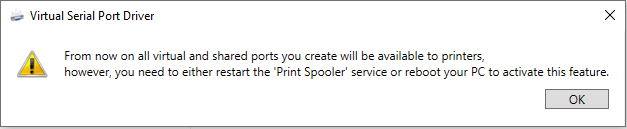
Ignore errors when creating bundles — With this option enabled, you can continue the creation/opening process even if some of the ports are not created/opened.
Retry opening real ports in case of failure —This option allows reopening serial ports automatically if they failed to open at the first go (and the “Ignore errors…” option is enabled) or a serial port was removed while the service was still running (e.g. the USB to COM lead was unplugged).