Advanced Serial Port Terminal allows you to send hexadecimal characters within a string packet which will be treated as hex number. This feature is useful while communicating with serial port device via proprietary protocol.
To send hexadecimal characters in String mode, please, do the following:
1. Select “File” –> “Preferences” from main menu or press “Alt” + “P” to invoke “Preferences” dialog window.
2. Enable “Full mixed mode” option:
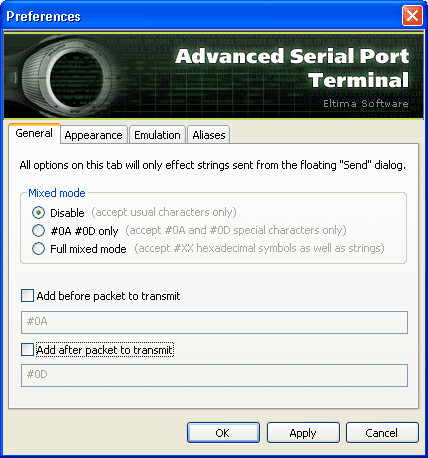
3. In case you need to send “#0A” (10 in hexadecimal representation) and “#OD” (13 in hexadecimal representation) only, please, enable “#0A #0D only” option.
4. Click “Apply” button to save the changes.