For a guide on a VSPD PRO version bundle management, click here
Use the vertical menu at the left for easier navigation between tabs.
Adding a new a virtual serial port pair:
- On the “All” tab, choose virtual serial ports from the drop-down list or enter them manually. Using Virtual Serial Port Driver you can create virtual serial ports with any names, not limited to the COMx format. But you need to keep in mind that not every program, working with serial ports, supports custom port names.
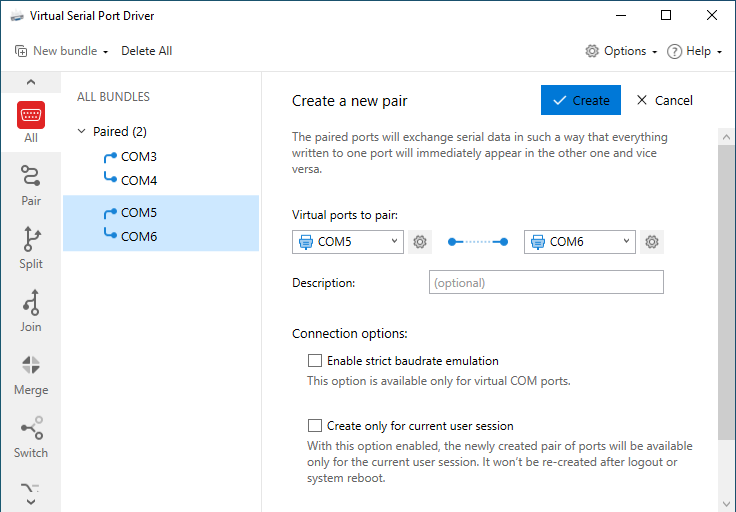
If you tick the “Create only for current user session” box, the virtual ports will be created for the current session only. This is very convenient when working in an RDP session: you can use the same port name (e.g. COM4) over and over again in every new session.
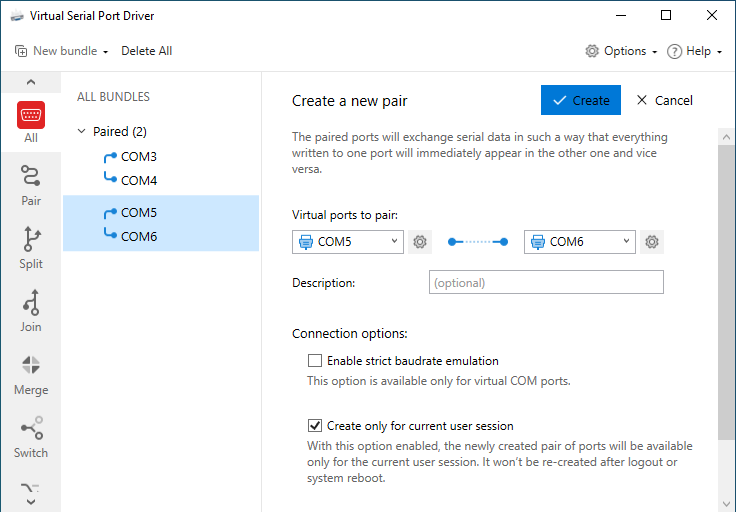
- Click the “Create” button.
- Once the pair is successfully created, you can see newly created ports in the Serial Ports Explorer and in the Device Manager of your system.
- Repeat these steps every time you need to create a new pair of virtual serial ports.
Deleting a virtual serial port bundle:
- On the “All” tab, click on the virtual serial ports pair you want to delete.
- Click “Delete” in the top-right corner of the tab.
4. Click “Yes” in the invoked dialog window to confirm the pair deletion (if the “Ask before deleting ports” option is enabled):
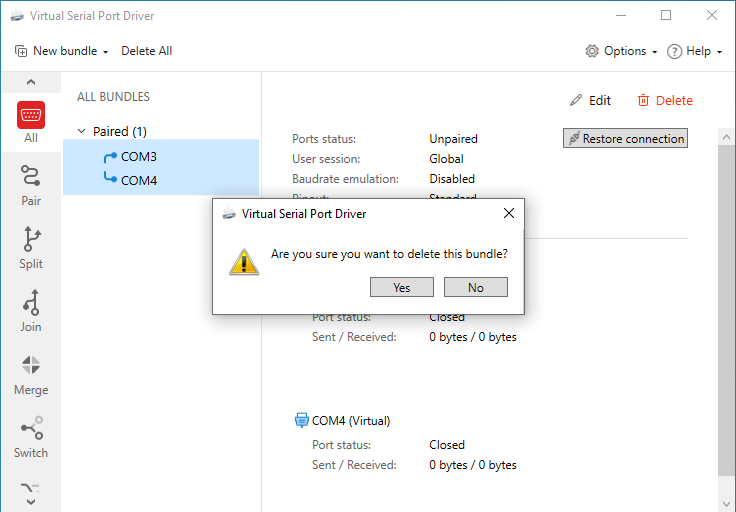
Deleting all virtual serial ports bundles:
- Click the “Delete all” button on the Main screen.
2. In the invoked window confirm the ports deletion (if the “Ask before deleting ports” option is enabled):
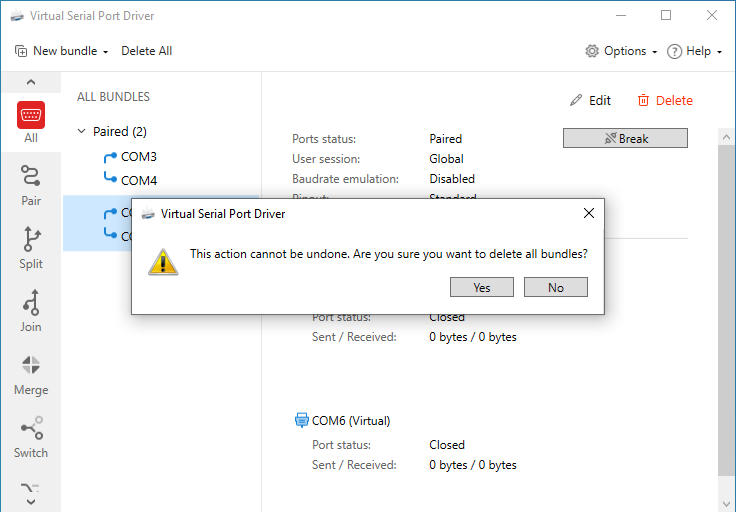
If you click “Yes”, your current virtual serial ports configuration will be irreversibly erased, thus you’ll have to re-create all the ports manually.