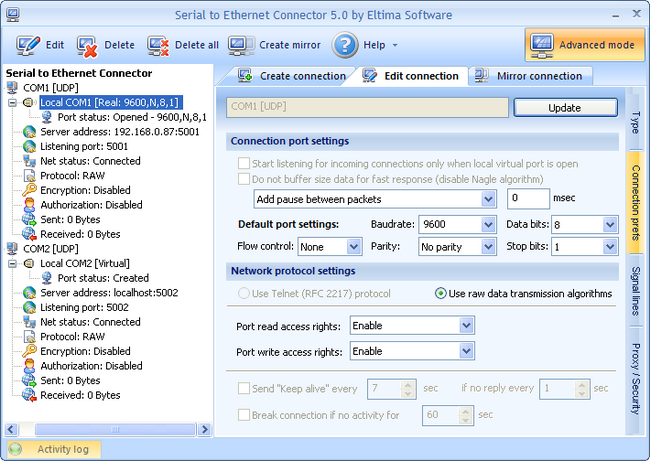
1. You can configure the following settings from the drop-down menu:
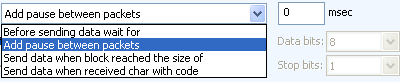
- Add pause between packets option lets you set a pause in milliseconds between transmitted packets. It is used to avoid data losses caused by queue overflow.
- Before sending data wait for option is used to set a pause in milliseconds after which all received data is sent to the remote end.
- Send data when block reached the size of option is used to send all received data to the remote end when a block reaches the size of the specified value.
- Send data when received char with code option lets you send all received data to the remote end when a char is received with the specified code.
2. If real port is used in UDP connection, you can manage default port settings. You can manually assign predefined serial port settings if, for instance, you have legacy serial port device that has definite parameters.
Refer to Connection settings (server) section for more info about these parameters.
3. Only raw data transmission algorithms can be chosen for data transmission in your UDP connection (“Use raw data transmission algorithms” option). Since Telnet uses TCP/IP connection, it cannot be used to establish UDP connection. TCP is a connection-oriented protocol, which means it establishes connection with the remote end and you still remain connected even if you are not sending any data. UDP, on the contrary, is a connectionless protocol, which means you do not need to establish connection with the remote end before exchanging data, but just send packets to the specified destination.
When “Use raw data transmission algorithms” option is enabled, you can specify the client’s access rights to the local COM port which lets you manage communication direction – enable or disable port’s read/write access rights.
If virtual port is used in UDP connection:
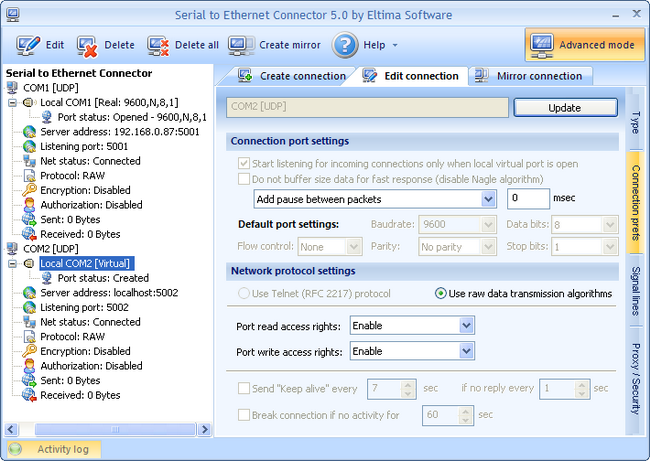
1. You can configure the following settings from the drop-down menu:
2. Default port settings are not available (grayed out) if you are using virtual port in UDP connection since communication parameters are set by the application which opens the virtual port.
3. When “Use raw data transmission algorithms” option is enabled, you can specify the client’s access rights to the local COM port which lets you manage communication direction – enable or disable port’s read/write access rights. Since Telnet uses TCP/IP connection, it cannot be chosen to establish UDP connection.